> ## Documentation Index
> Fetch the complete documentation index at: https://browseract-mintlify-update-docs-navigation-33744.mintlify.site/llms.txt
> Use this file to discover all available pages before exploring further.
# Try It with Templates
> Learn how to run your very first BrowserAct automation in minutes by starting from ready-made templates instead of building workflows from scratch.
This article will guide you through your **first complete loop** in BrowserAct:
from picking a template to successfully running it and seeing the results.
You don’t need to design a workflow from scratch yet. Instead, you will:
\> Pick a template → Adjust a few parameters → Click **Run** once
This lets you clearly see how BrowserAct opens pages for you, executes each step,
and collects data automatically. After this first run, **Workflow / Node / Run**
will no longer be abstract ideas, but a concrete, visible process.
 ***
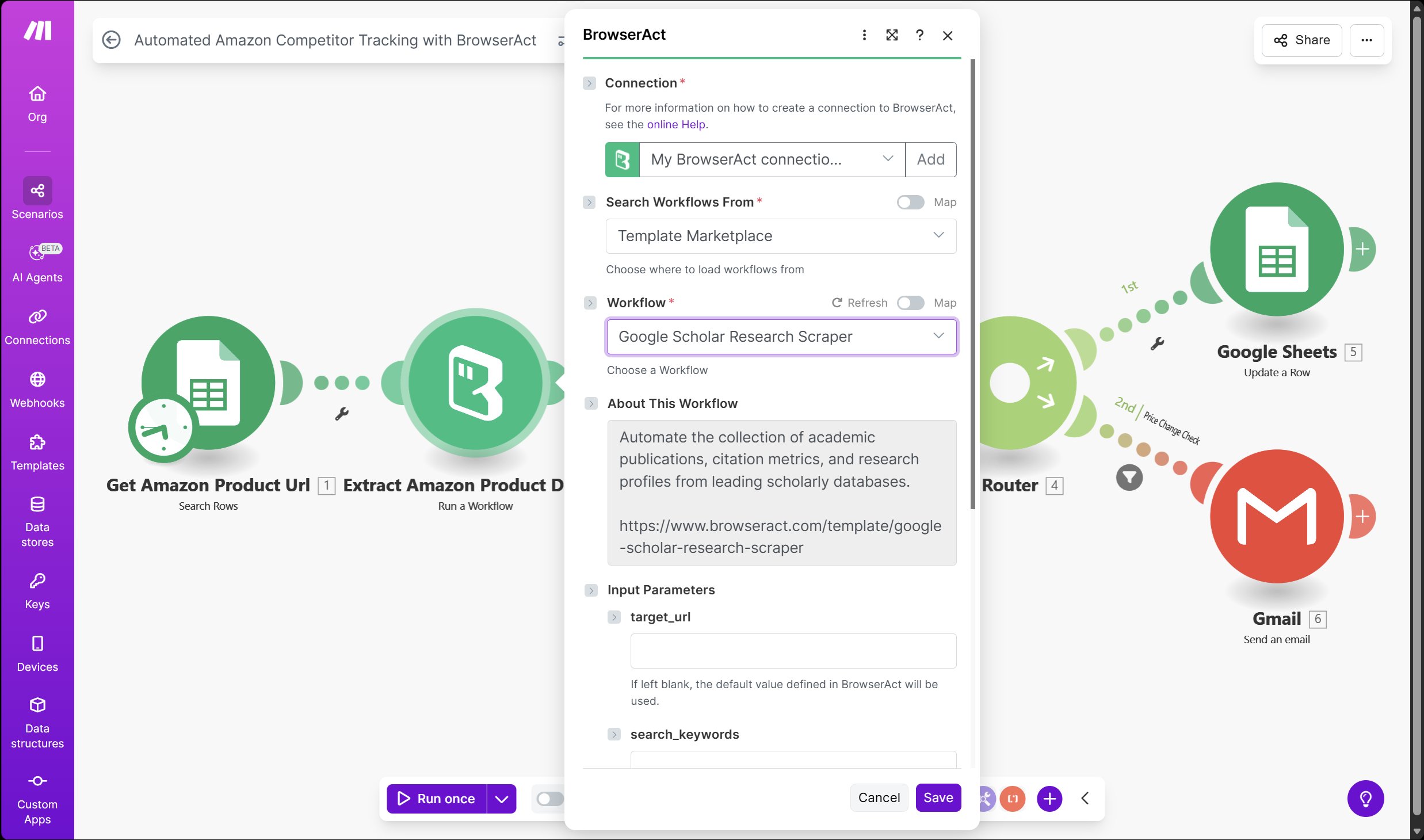
## 1. Pick a template
In the left sidebar, click **Template Marketplace**.
You’ll see a page of cards – each card is a **pre-built workflow**.
For your very first try, choose a template that **does not require login**, for example:
* **Billboard Hot 100 List Scraper** (scrapes chart songs)
* Or similar public-site templates like **Google News Scraper**, **Reddit Scraper**, etc.
\> For the first run, pick something **simple, with an output you can easily understand**.
Click a template card to open its detail page.
***
## 1. Pick a template
In the left sidebar, click **Template Marketplace**.
You’ll see a page of cards – each card is a **pre-built workflow**.
For your very first try, choose a template that **does not require login**, for example:
* **Billboard Hot 100 List Scraper** (scrapes chart songs)
* Or similar public-site templates like **Google News Scraper**, **Reddit Scraper**, etc.
\> For the first run, pick something **simple, with an output you can easily understand**.
Click a template card to open its detail page.
 ***
## 2. See what the template expects
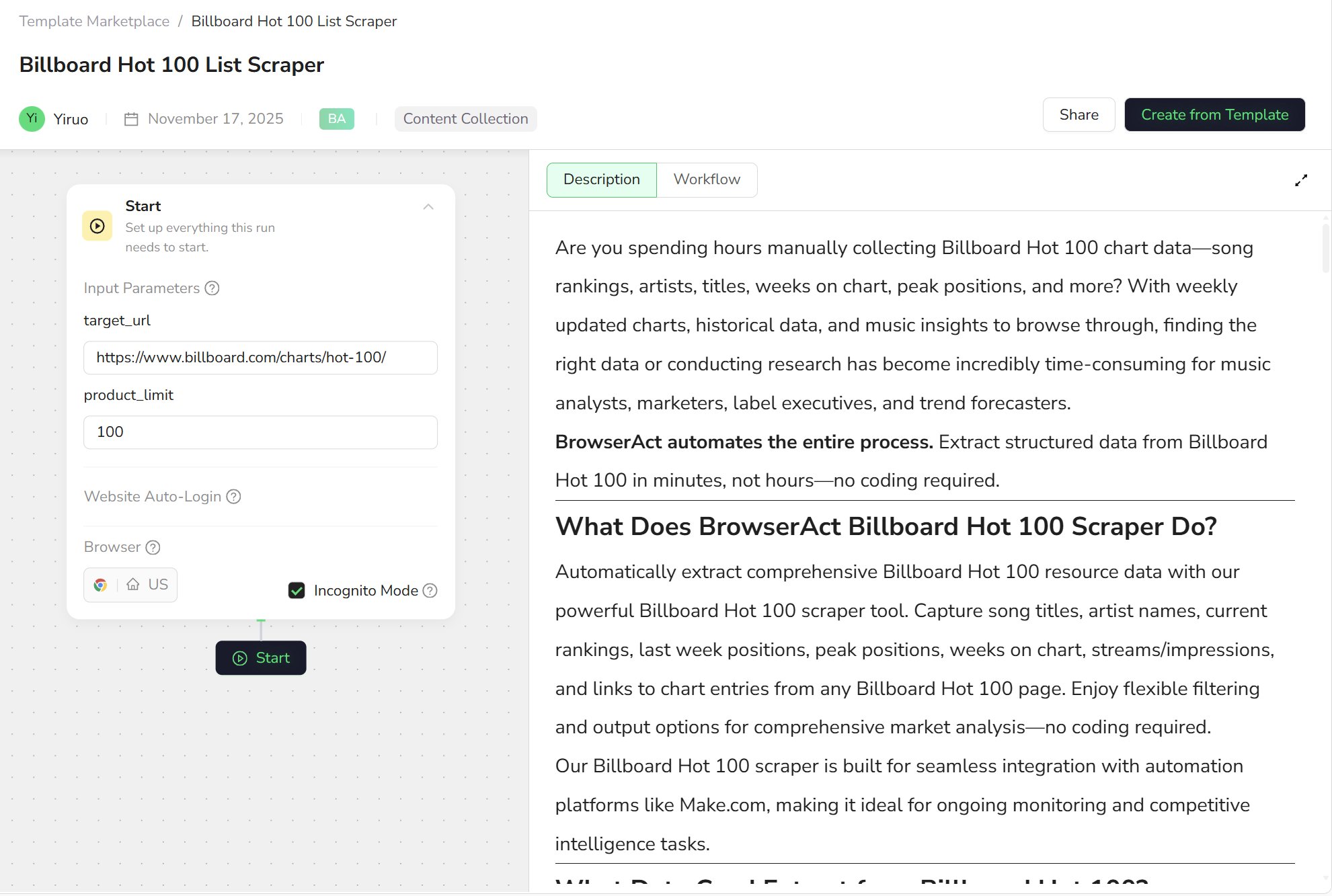
On the left side of the template detail page, you’ll see a **Start** block.
This is the entry point of the workflow, and it usually contains a few input parameters, such as:
* `target_url` – the target page URL
* `product_limit` – the maximum number of items to fetch in this run
You don’t need to worry about how many nodes there are or how they are wired. Just remember:
\> The template already has the whole flow built.
\> You only need to tell it **where to scrape, and how much to scrape**.
Confirm or lightly adjust the parameters. For example, for the Billboard template:
* Keep the default `https://www.billboard.com/charts/hot-100/`
* Set `product_limit = 100`
***
## 2. See what the template expects
On the left side of the template detail page, you’ll see a **Start** block.
This is the entry point of the workflow, and it usually contains a few input parameters, such as:
* `target_url` – the target page URL
* `product_limit` – the maximum number of items to fetch in this run
You don’t need to worry about how many nodes there are or how they are wired. Just remember:
\> The template already has the whole flow built.
\> You only need to tell it **where to scrape, and how much to scrape**.
Confirm or lightly adjust the parameters. For example, for the Billboard template:
* Keep the default `https://www.billboard.com/charts/hot-100/`
* Set `product_limit = 100`
 ***
## 3. Run it once
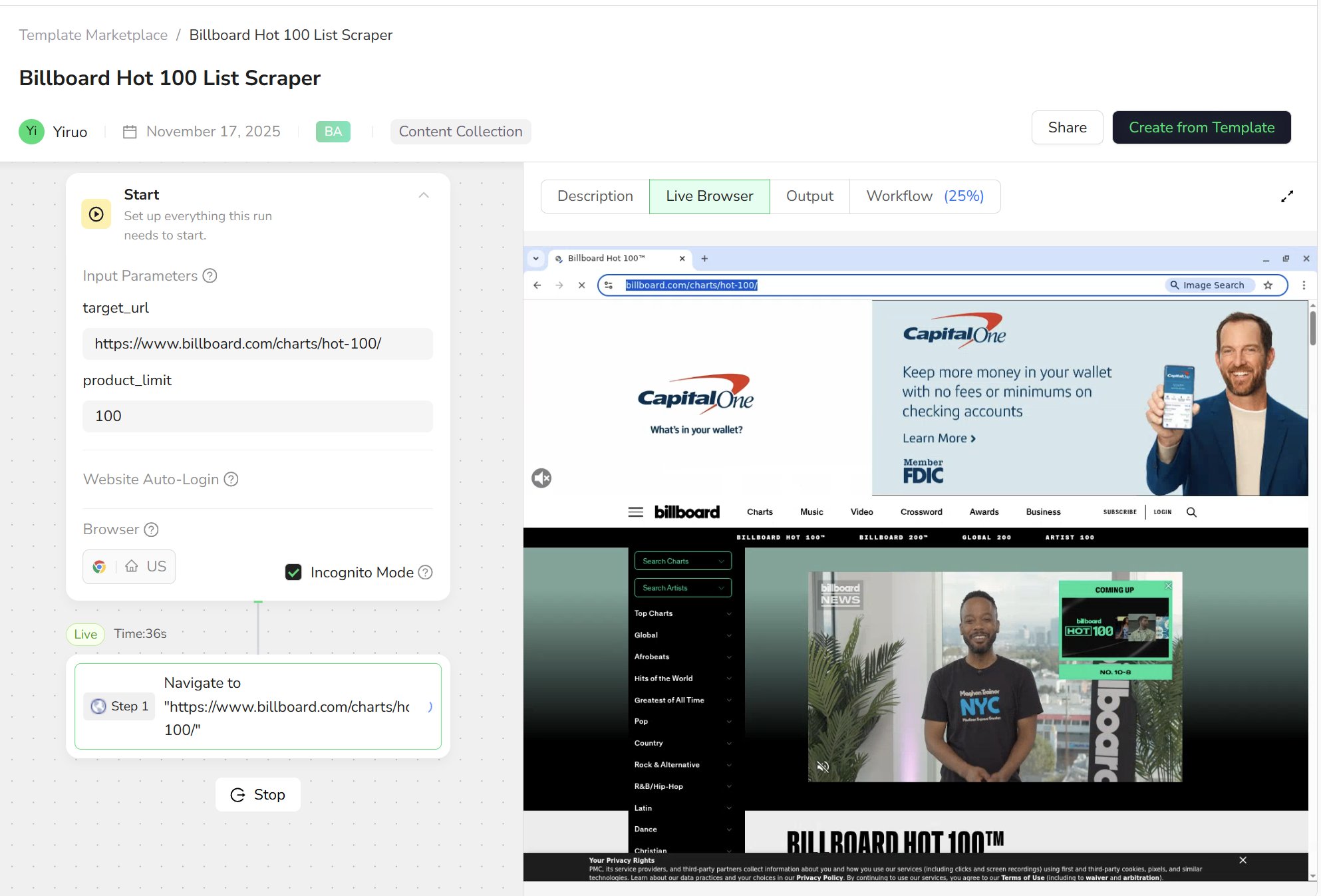
At the bottom of the template page (usually under **Start**), you’ll see a button to launch the run, such as **Start** or **Run**.
1. Click the button to start the run.
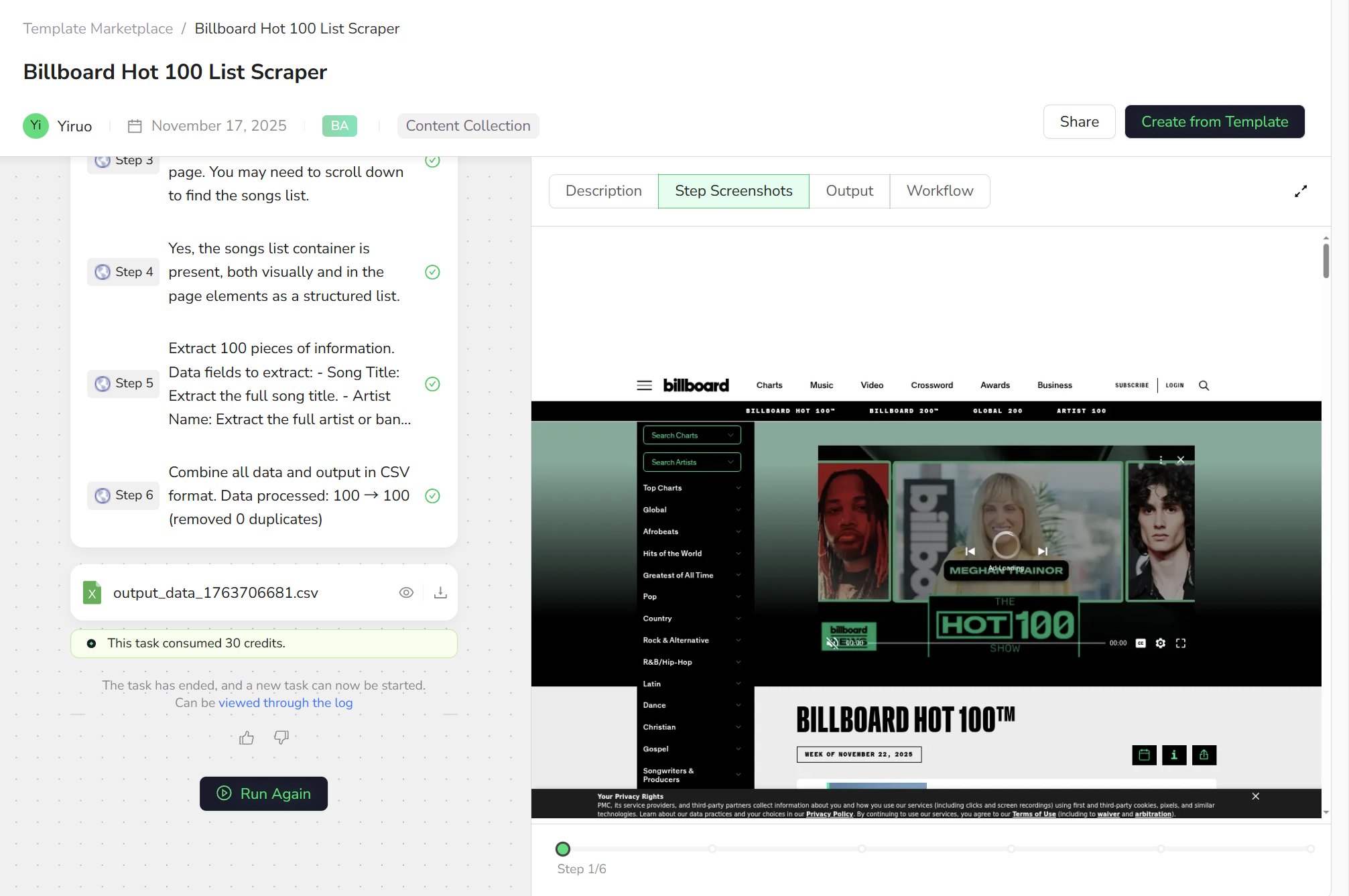
2. The view will switch to **Live Browser**, where you’ll see a real browser window automatically open the target website.
3. Below, you’ll see the current step (Step 1, Step 2, …) progressing through the workflow.
At this point, you don’t need to touch anything. Just watch BrowserAct:
* Open the page
* Close pop-ups / scroll the page
* Move to the list area
* Loop through each song / news item / list entry
That’s your **first complete Run**.
***
## 3. Run it once
At the bottom of the template page (usually under **Start**), you’ll see a button to launch the run, such as **Start** or **Run**.
1. Click the button to start the run.
2. The view will switch to **Live Browser**, where you’ll see a real browser window automatically open the target website.
3. Below, you’ll see the current step (Step 1, Step 2, …) progressing through the workflow.
At this point, you don’t need to touch anything. Just watch BrowserAct:
* Open the page
* Close pop-ups / scroll the page
* Move to the list area
* Loop through each song / news item / list entry
That’s your **first complete Run**.
 ***
## 4. Check the result: what did this Run do?
When the run is finished, switch to the **Output** tab at the top.
You’ll usually see:
* A **table**, where each row is one record
* e.g. a song, a news item
* Columns representing fields, such as
* rank, title, artist, link, etc.
At this point, you now have:
* A complete **run record (Run)**
* A structured dataset you can download, analyze, or export
***
## 4. Check the result: what did this Run do?
When the run is finished, switch to the **Output** tab at the top.
You’ll usually see:
* A **table**, where each row is one record
* e.g. a song, a news item
* Columns representing fields, such as
* rank, title, artist, link, etc.
At this point, you now have:
* A complete **run record (Run)**
* A structured dataset you can download, analyze, or export
 ***
## 5. Connect the experience to the Core Concepts
Now let’s map what you just did to the three core concepts.
* The **template** you selected
→ is essentially a pre-designed **Workflow**, created for the business goal
“scrape the Billboard Hot 100 chart”.
* The blocks inside that template (open page, scroll, extract fields…)
→ are the individual **Nodes**.
* This one time you clicked **Run**, from start to finish
→ is a **Run / Task** – one full execution of that workflow.
You don’t need to master workflow design before you start.
A more natural learning path is:
\> First, use a template to experience “BrowserAct completed a real task for me”,
\> then gradually dive deeper into **Workflow** and **Node** design.
***
## 6. What’s next?
Once you’ve successfully run your first template, you can:
* **Change parameters and run again**
* Try different keywords
* Point to another URL
* Increase or decrease the number of items to fetch
* **Open the workflow canvas behind the template**
* See how the workflow is composed from multiple nodes
* Get a feel for how steps link together
* **Clone the template and make small adjustments**
* Extract an extra field
* Scroll more pages
* Adjust limits or error handling to match your use case
Step by step, you’ll move from **“trying a template”**
to **“owning a workflow tailored to your business”** —
and that’s when the core BrowserAct experience truly clicks.
***
## 5. Connect the experience to the Core Concepts
Now let’s map what you just did to the three core concepts.
* The **template** you selected
→ is essentially a pre-designed **Workflow**, created for the business goal
“scrape the Billboard Hot 100 chart”.
* The blocks inside that template (open page, scroll, extract fields…)
→ are the individual **Nodes**.
* This one time you clicked **Run**, from start to finish
→ is a **Run / Task** – one full execution of that workflow.
You don’t need to master workflow design before you start.
A more natural learning path is:
\> First, use a template to experience “BrowserAct completed a real task for me”,
\> then gradually dive deeper into **Workflow** and **Node** design.
***
## 6. What’s next?
Once you’ve successfully run your first template, you can:
* **Change parameters and run again**
* Try different keywords
* Point to another URL
* Increase or decrease the number of items to fetch
* **Open the workflow canvas behind the template**
* See how the workflow is composed from multiple nodes
* Get a feel for how steps link together
* **Clone the template and make small adjustments**
* Extract an extra field
* Scroll more pages
* Adjust limits or error handling to match your use case
Step by step, you’ll move from **“trying a template”**
to **“owning a workflow tailored to your business”** —
and that’s when the core BrowserAct experience truly clicks.